

Detailed land price maps in lps: from data layers to verification
Explore the LPS detailed map interface, land-parcel and road layers, and a practical workflow for validating spatial data before interpreting land-price information.
TECHNOLOGY & RESEARCH · LAND PRICE MAPPING
Detailed Land Price Maps in LPS: Reading Data Spatially
A useful map does more than color areas. It places land-related information in context, helps compare data layers and highlights questions requiring verification.
A land-price table associates values with administrative areas, roads or locations. A spatial map can make the relationship among land parcels, street networks and surrounding areas easier to examine. This is the educational value of the detailed land-price mapping feature shown in LPS.
1. From a workflow to spatial outputs
LPS (Land Price Schedule) is presented as a system supporting the organization of land price schedule workflows, including preparation, data updates, reporting and map-based display. Its interface groups tasks into steps, helping users follow a process rather than manage unrelated files.
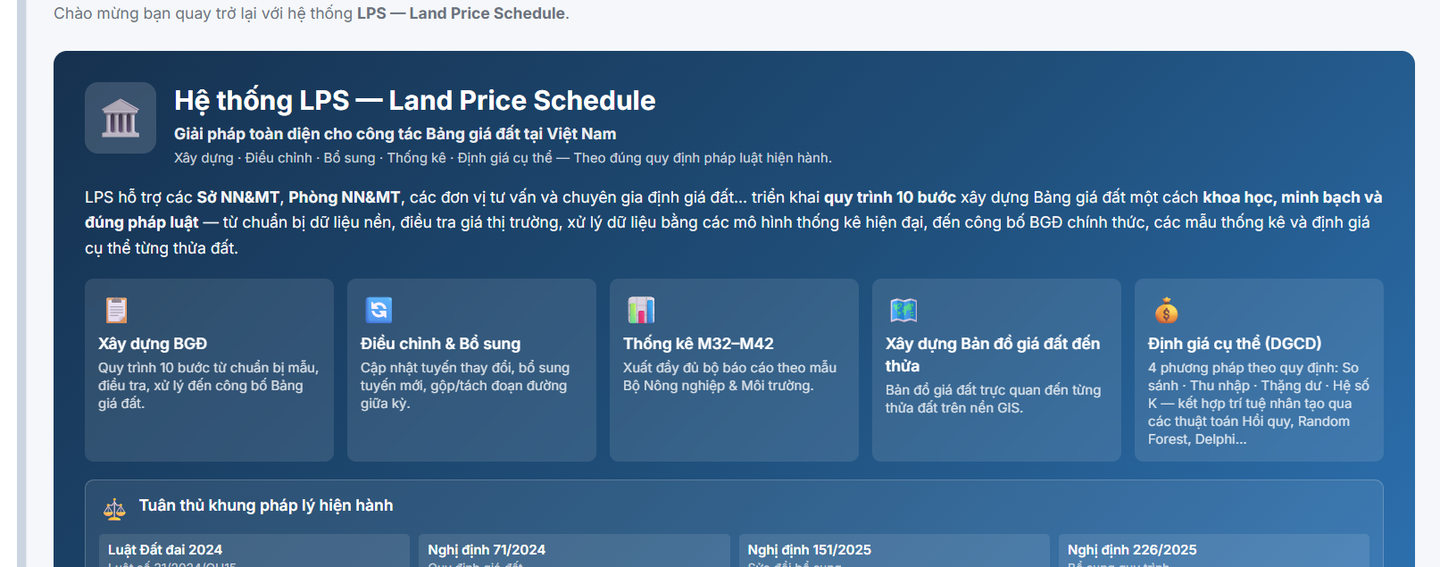
Figure 1. LPS feature groups, taken from an actual system screenshot provided by the author (Vietnamese interface).
A map does not replace field surveys, validation or valuation procedures. It provides another way to present and cross-check spatial information.
2. How to read the detailed map
The screenshot from the LPS B11 area shows a street and parcel map with layer controls. Visible options include land parcels, road information and a price-coloring layer, alongside a legend of data-quality categories. Such controls help users distinguish the objects and information sources being displayed.
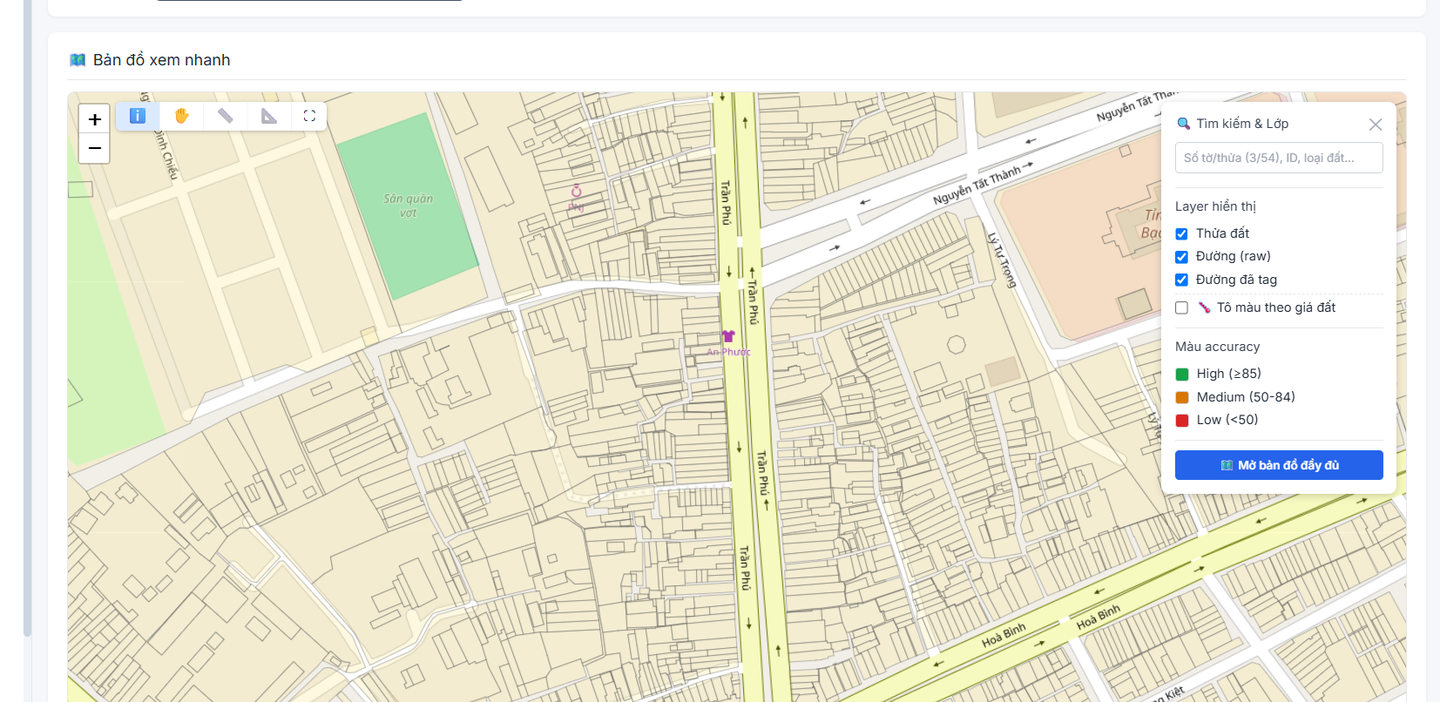
Figure 2. LPS quick map showing parcels, roads and selectable display layers.
Before interpreting a color or label, ask: does it represent a parcel, a road segment or an area? Do the enabled layers refer to comparable times and coordinate systems? Where the interface shows a quality indicator, its calculation method must be understood before it is used as evidence.
3. A short student verification workflow
- Define the task: are you locating parcels, comparing areas or checking a road layer?
- Select relevant layers: display only the information needed for the question.
- Inspect attributes: review symbols, units, locations and update dates.
- Flag anomalies: identify boundaries, missing data and abrupt changes that require explanation.
- Record findings: document screenshots, data sources, assumptions and items requiring further checks.
4. Limits of map-based interpretation
Maps are useful for visualization and verification; they do not independently establish the legal status of a parcel or validate a specific land price. Valuation conclusions depend on the applicable data, methods, procedures and legal requirements at the time of analysis.
Screenshots illustrate an LPS interface for educational purposes. Legends, data and available layers may change with software versions or the selected dataset.
Learn more: LPS system · LPS and LandTree overview