

Ct3d and sketchup: from building data to 3d urban models
A practical introduction to CT3D-supported urban modeling in SketchUp, using real screenshots to explain input organization, model validation and clear 3D presentation.
TECHNOLOGY & RESEARCH · SPATIAL MODELING
CT3D and SketchUp: From Building Data to a Verifiable 3D Urban Model
Three-dimensional urban models help us explore building massing, street networks and spatial relationships. For analytical use, the geometry, data sources and assumptions must remain understandable and reviewable.
Introductory SketchUp exercises often begin with edges, faces and individual solids. Modeling an entire neighborhood introduces different challenges: many objects, varying levels of detail, road networks and related attributes. In that context, CT3D is presented through the author’s screenshots as a workflow-support tool operating within the SketchUp environment.
1. Treat the urban model as organized data
An urban model may include homes, public facilities, roads, landscaped areas and other urban elements. A perspective image is useful for explaining overall layout, but reliable interpretation requires distinguishing measured dimensions, simplified geometry and illustrative assumptions.
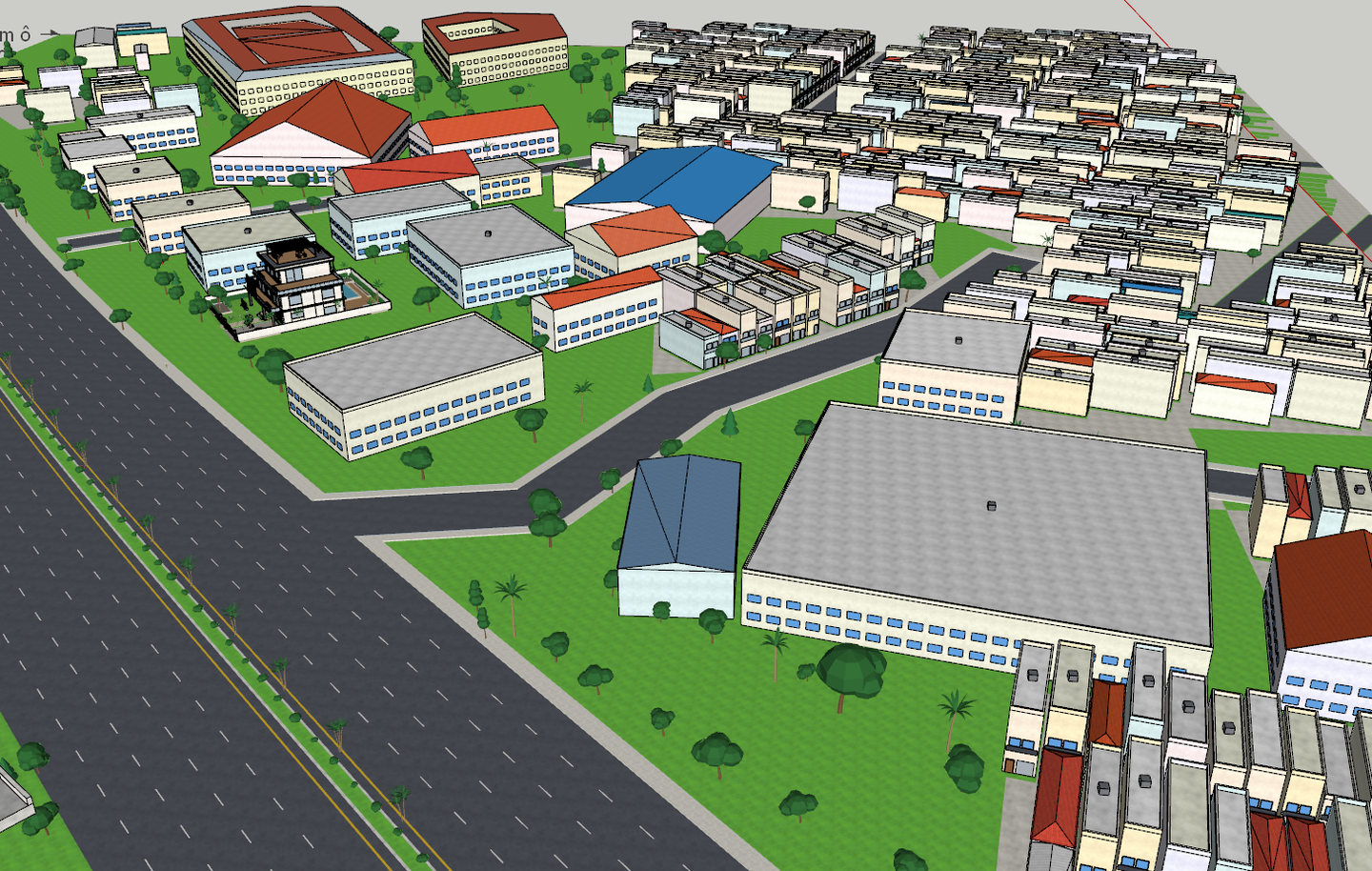
Figure 1. Real 3D urban model screenshot provided by the author, showing buildings, roads and open space.
2. What does the CT3D interface organize?
The CT3D version 1.0 screenshot shows workflow areas for site and imagery, building data, streets and frontages, 3D modeling, navigation, tiling and export. This layout suggests an approach extending from data preparation through model review and presentation.
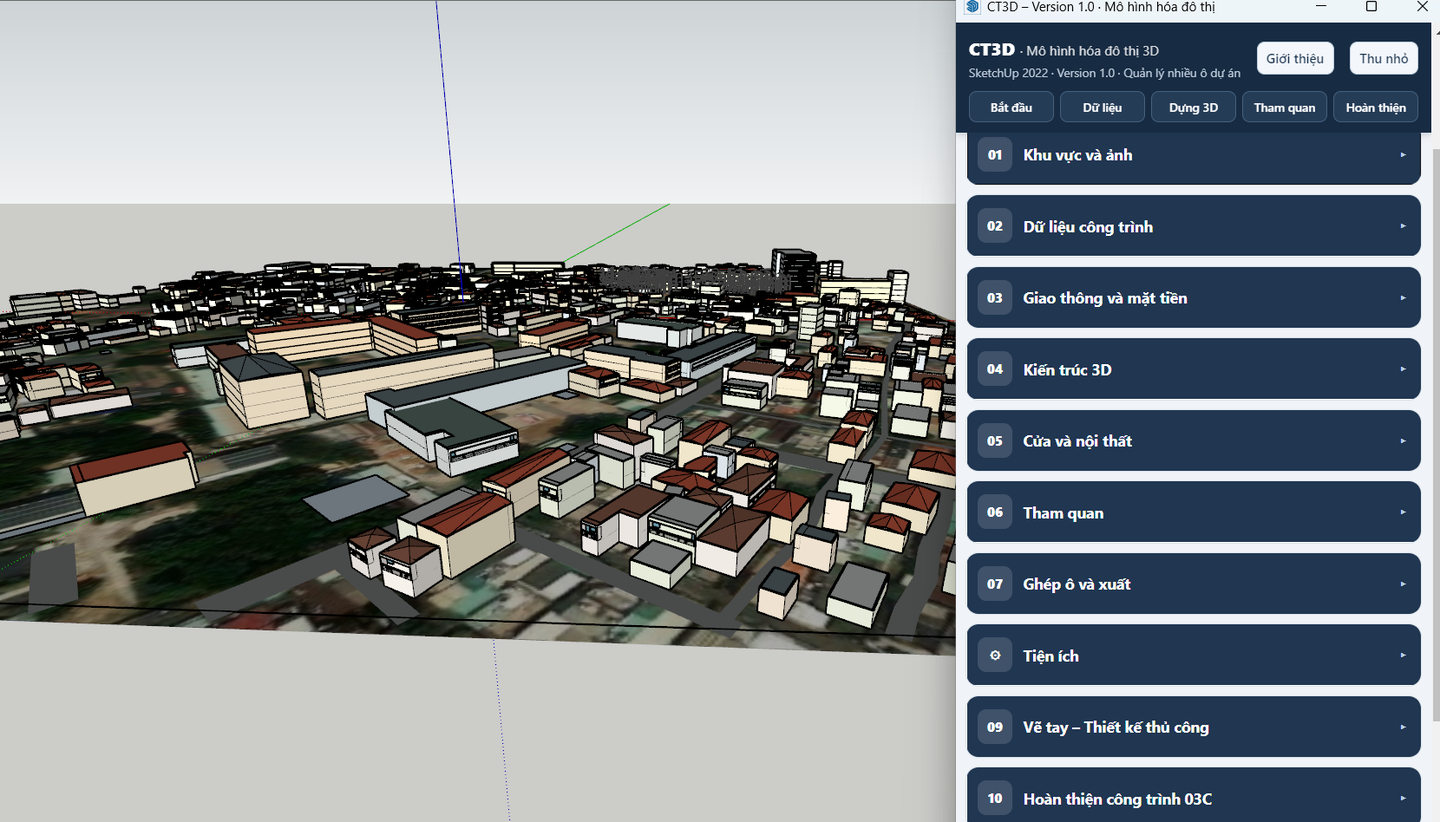
Figure 2. CT3D working panel displayed alongside SketchUp, captured from the author’s actual interface.
The visible controls demonstrate how tasks are organized in the interface. They do not by themselves prove that every feature has been validated for every dataset. Published results should identify the tool version, input type and scope of testing.
3. A verifiable modeling workflow
- Prepare: identify the study area, coordinate reference, units and modeling purpose.
- Organize inputs: structure building geometry, road information and necessary attributes.
- Model: group buildings, streets and surfaces with understandable names and dimensions.
- Review: check scale, intersections, elevations, reversed faces and missing elements.
- Present: select useful views and describe sources, generalizations and uncertainties.
4. Where can 3D models add value?
Three-dimensional models support urban-space teaching, design discussions and project presentation. With suitable source data, they can complement analyses of access, density or visual relationships in real estate studies. A convincing rendering is not automatically a planning approval, construction drawing or legal record.
Use a hypothetical city block. Model building masses, a main street and open spaces, then document units, height sources, object naming and two perspective views. Clearly separate observed inputs from assumptions.
Further reading: SketchUp: from plans to 3D models · BDSNL knowledge portal